How Real Friends works
A step-by-step look at the app built for your 50 closest people. Simple, private, and intentionally small.
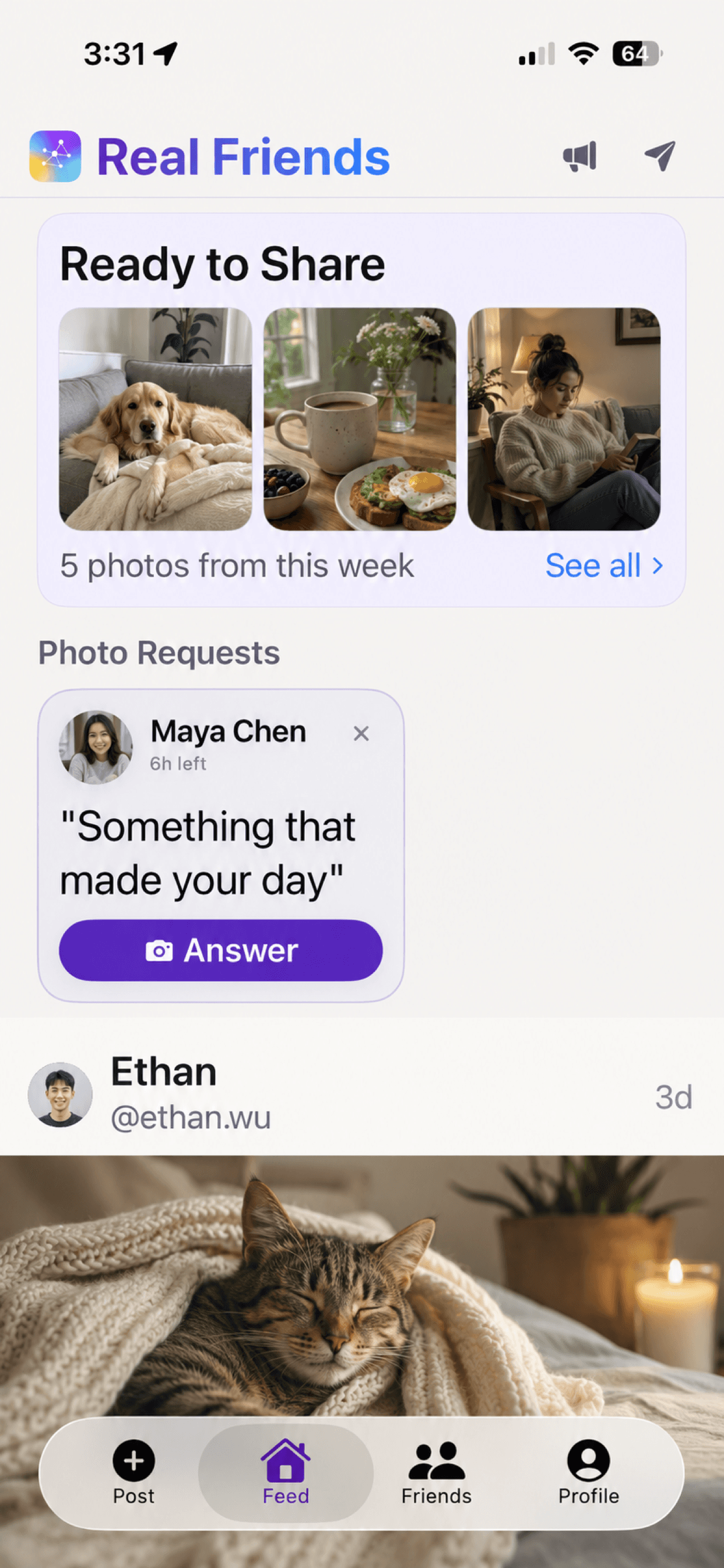
Your Feed
Every post from your friends, in chronological order. No algorithm deciding what you see. Your best photos are ready to share at the top, and photo requests from friends appear right in your feed. You'll never miss an update from someone who matters to you.
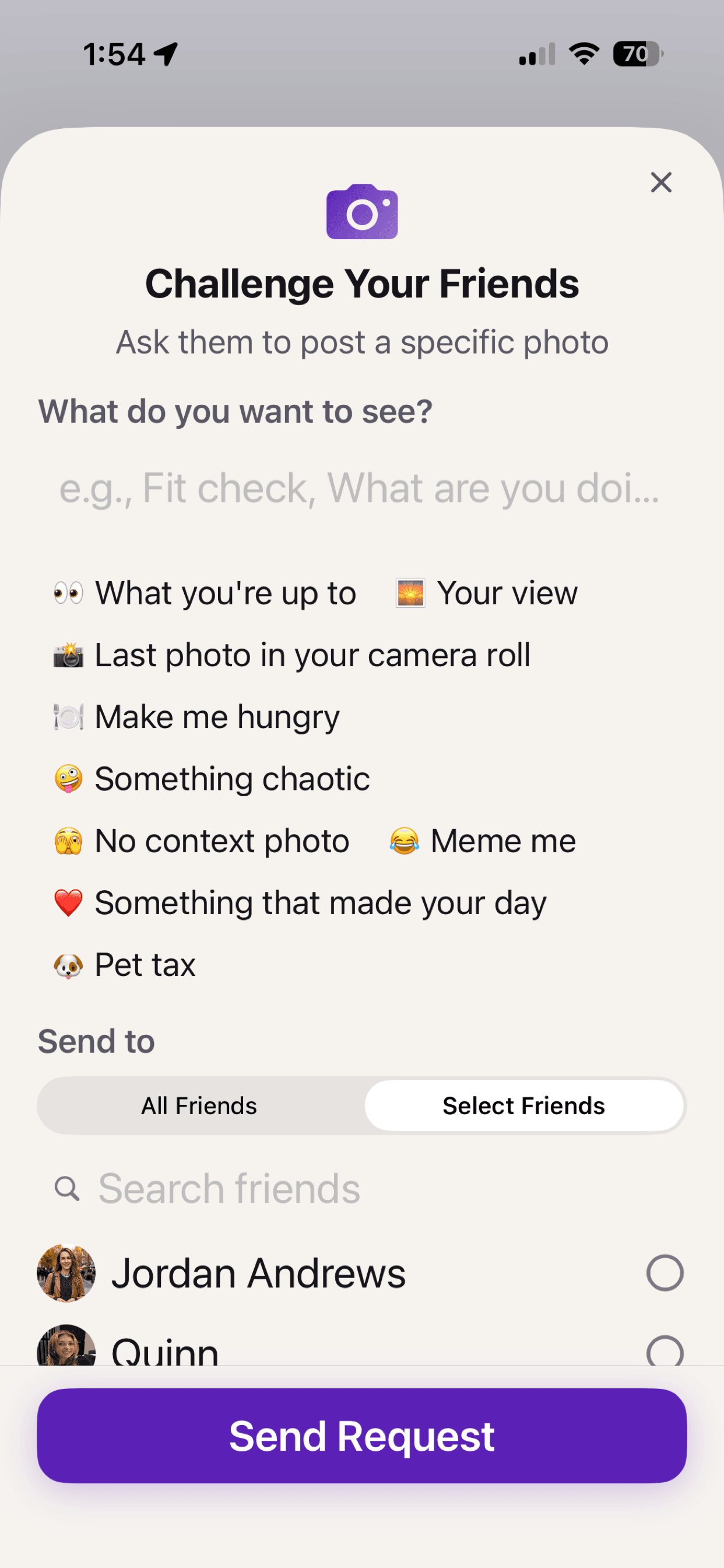
Challenge Your Friends
Want to see what your friends are up to? Send a photo request. Pick from prompts like 'What you're up to,' 'Make me hungry,' or 'Something that made your day' — or write your own. Send it to your whole circle or just a few friends, and see what comes back.
Ready to Share
Your best recent photos appear at the top of your feed, ready to post with one tap. On-device AI picks out great shots from your camera roll — food, pets, friends, sunsets. Everything stays on your phone. Nothing is uploaded or analyzed on a server.
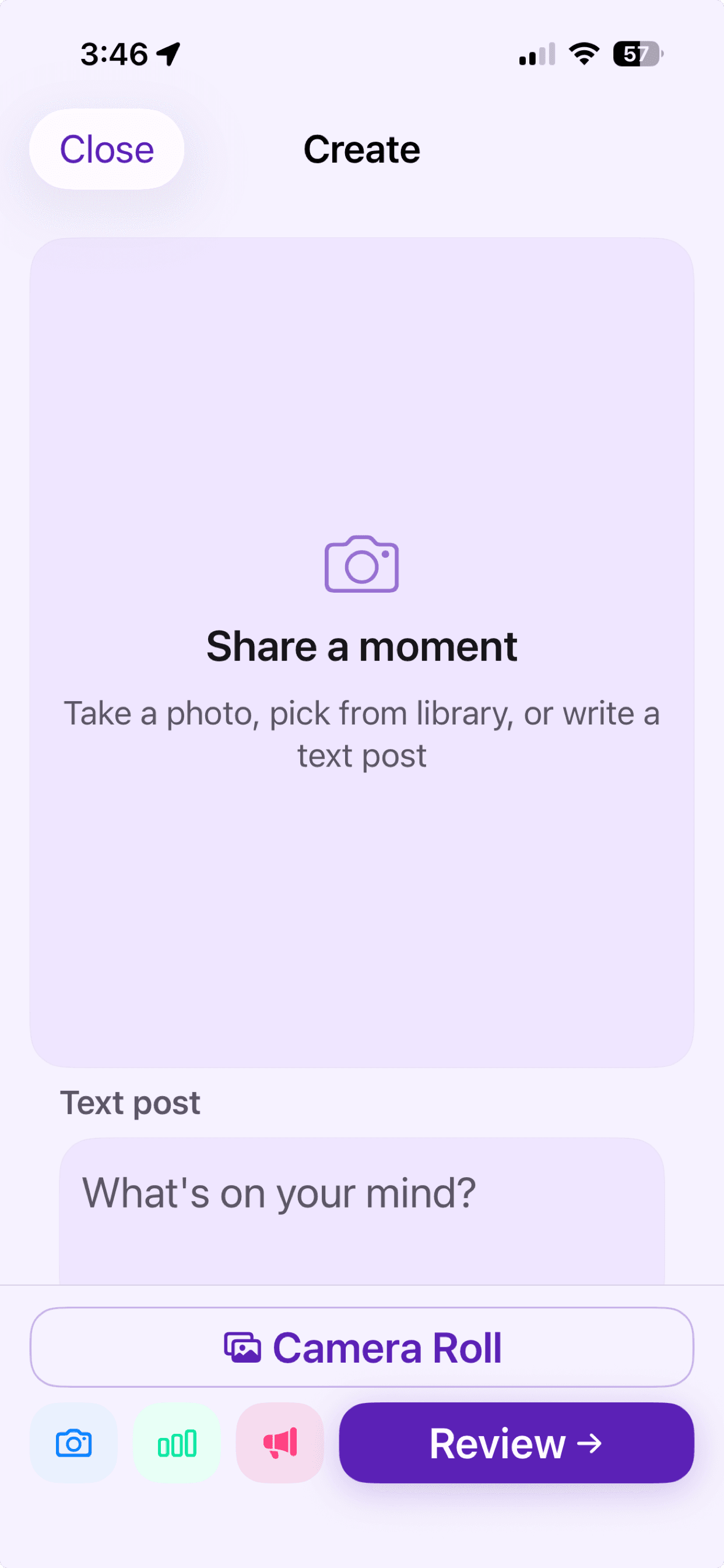
Share Moments
Posting is simple: pick a photo, write a caption, and share it with your circle. No hashtags, no public reach metrics, no pressure to perform. Just sharing a moment with the people who care.
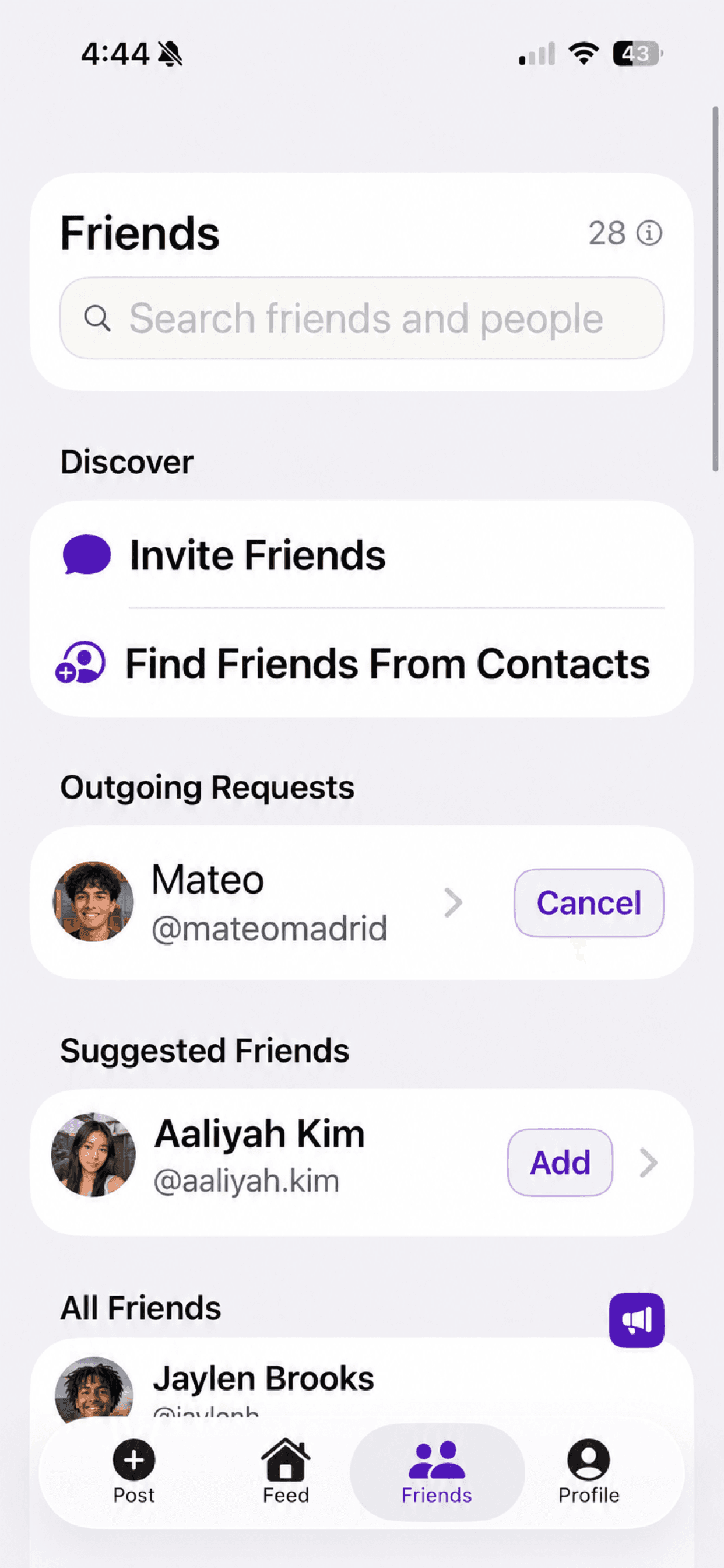
Your Circle
Real Friends caps your list at 50 people — based on anthropologist Robin Dunbar's research on the number of close relationships humans can meaningfully maintain. The counter at the top shows how many spots you've filled. Every person in your circle is someone you intentionally chose.
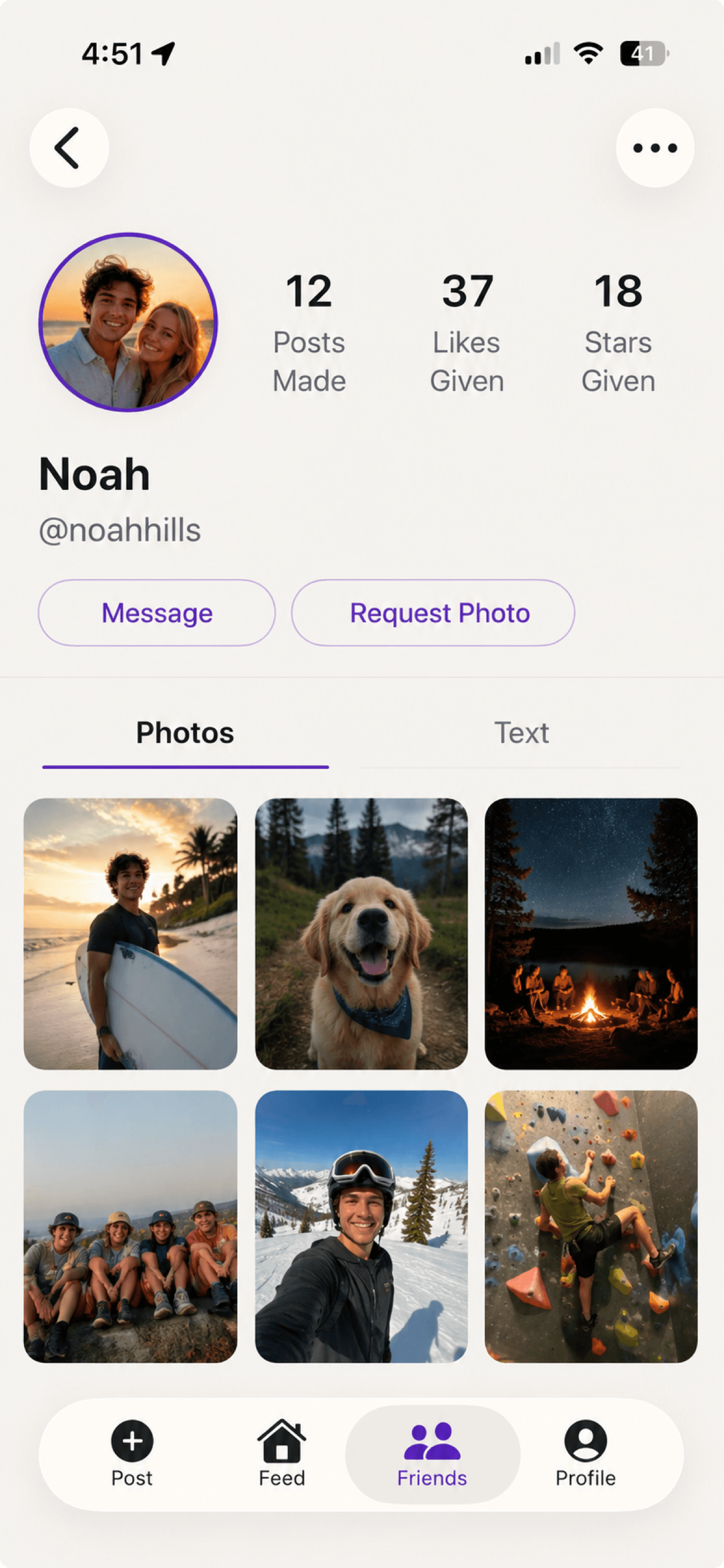
Friend Profiles
Tap on any friend to see everything they've shared. Their profile is a personal gallery of moments — a running collection of their posts that only their circle can see. It's a window into what your friends are up to, whenever you want to check in.
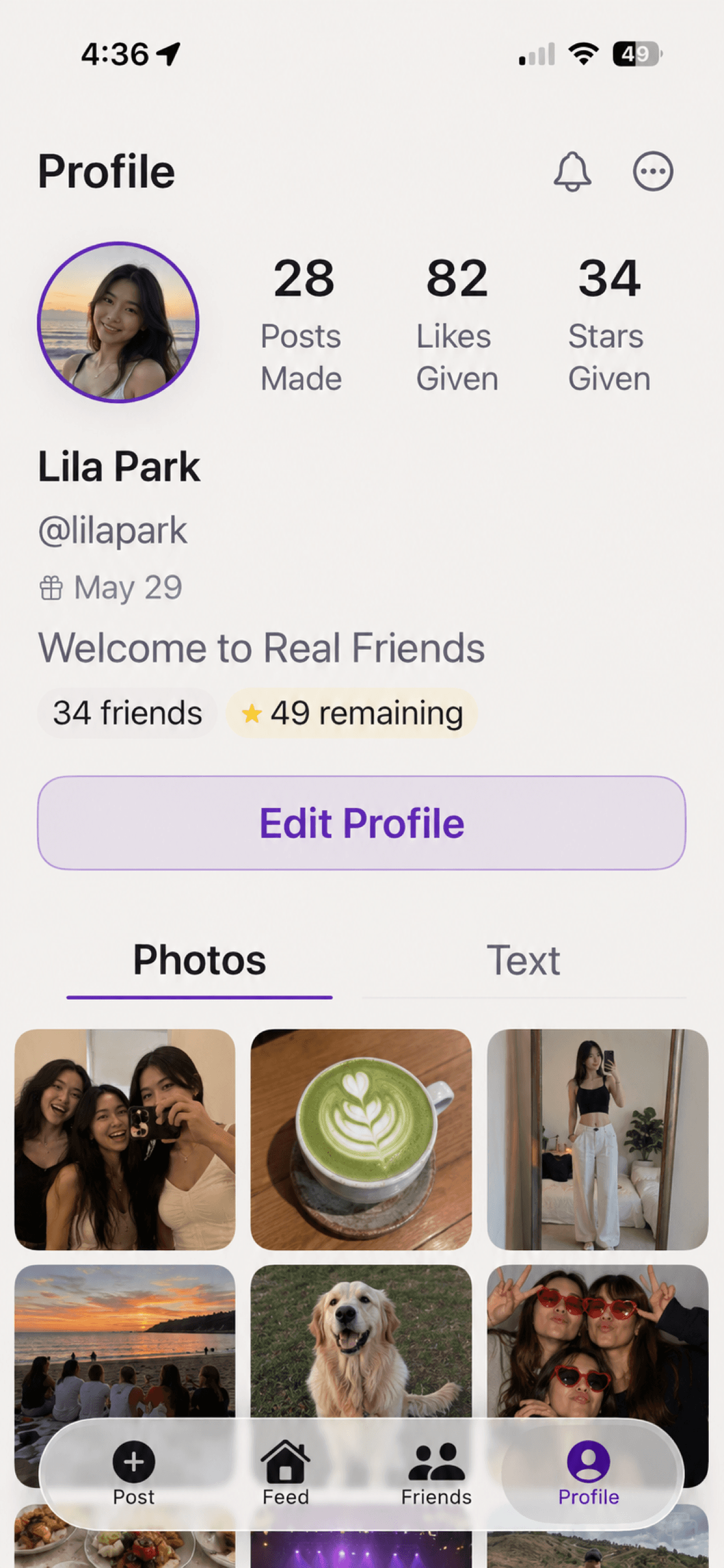
Your Profile
Your profile is your home base. See your stats, manage your circle, and review everything you've shared. It's your personal space within the app — visible only to the friends you've chosen.
Where we are today
Real Friends is live on the iOS App Store with real users. We ship updates regularly and are actively building toward our next milestones.
Tech Stack
- iOS App: Swift & SwiftUI
- Backend: Node.js with Fastify
- Infrastructure: Google Cloud Run & Firestore
- Auth: Firebase Authentication
Roadmap
- Now: Live on iOS App Store (free tier)
- Next: Premium features & personalization
- Planned: Android version
- Ongoing: Performance & reliability improvements